Send and Receive Messages Between Processes
Use messages to start another process or deliver a response to a waiting process instance. This guide covers the Spiff Arena diagram editor. For browser-based authoring in Ed, see the Ed documentation; the editors do not share the same message catalog.
1. Prepare the sender and receiver
For a restaurant example, create Waiter and Chef process models in the same process group,
such as restaurant. The Waiter sends order_accept to start the Chef, then waits for
order_dispatch to announce that the meal is ready.
Give each order a unique identifier. A table number alone is unsafe if multiple orders can be outstanding for the same table. In the Waiter, prepare task data before sending:
order = {"id": 123, "table_number": 7, "dish": "soup"}
Use a different ID for each order in a real process.
2. Define shared messages
Select a Send Task or Message Event and open the Message section of the properties panel. Click Open message editor to edit the selected message or create a new one in the diagram’s process group.
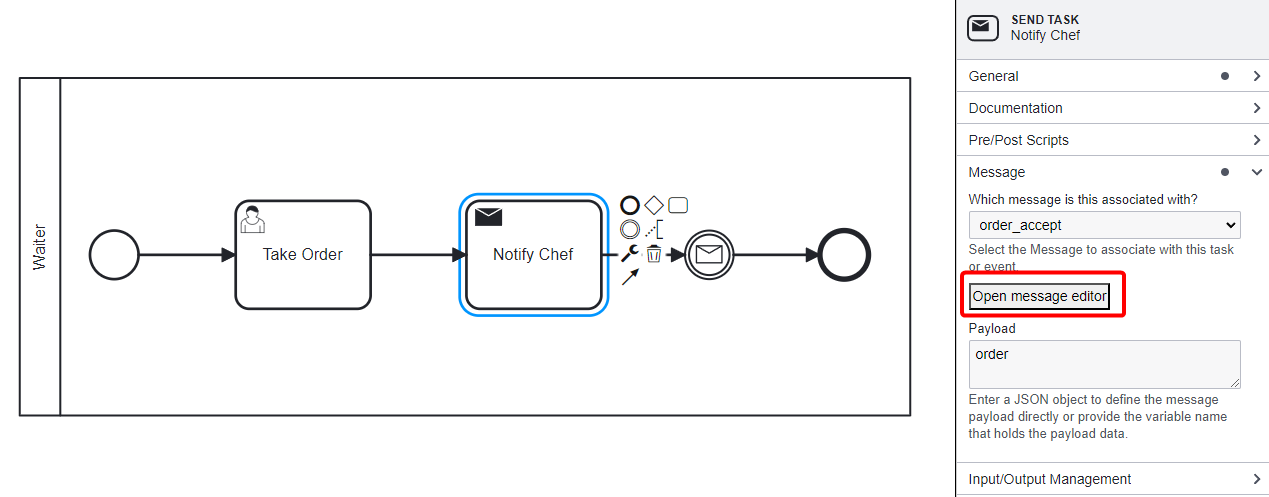
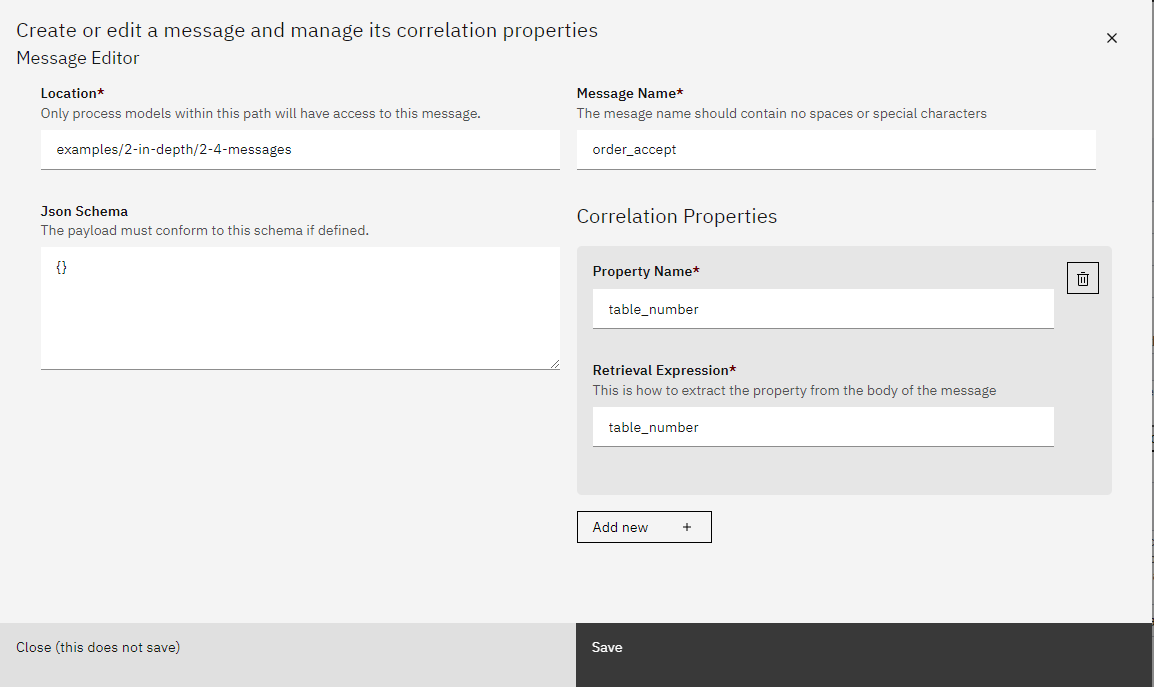
Use Existing Shared Message: select an existing definition when reusing one; otherwise leave Do Not Use Existing Shared Message selected.
Location: enter an existing process-group path, such as
restaurant. Models in that group and its descendants can select the shared message. This is not a file path.Message Name: enter
order_accept. Names allow letters, numbers, underscores, and hyphens.JSON Schema: optionally define the payload structure.
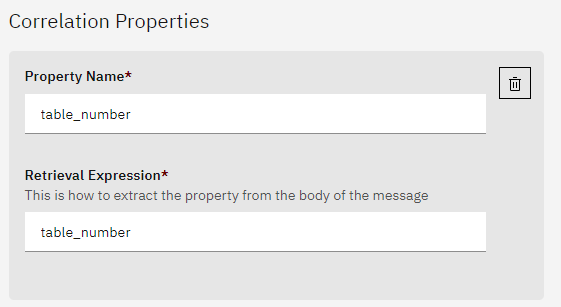
Correlation Properties: define the values used to associate messages with process instances. Each property has a Property Name and a Retrieval Expression, evaluated against the message body.
Save the definition and return to the diagram. Available messages refresh automatically; a message created from an unassigned task/event is selected for you.
Create order_dispatch too. For the reply, add property order_id
with retrieval expression order_id. The reply body will contain that key.
The nearest definition wins if a child group and an ancestor define the same message identifier.
Arena stores the shared catalog in process_group.json, while each BPMN file embeds the
message and correlation definitions it uses. After changing a shared message, use
Update diagram when prompted, then save the diagram. Synchronize each affected diagram.
3. Send an order and start the Chef
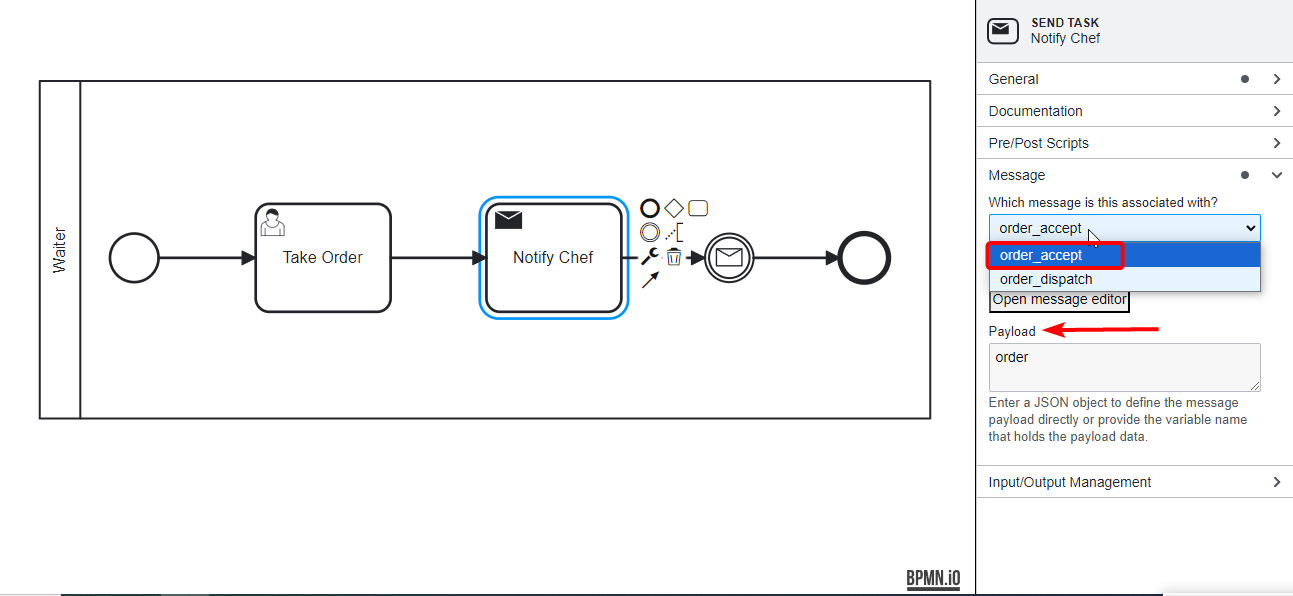
In the Waiter’s Send Task, select order_accept under Which message is this associated with?
and set Payload to order.
In the Chef, use a Message Start Event, select order_accept, and set Variable Name to
order_to_cook. This variable receives the payload; it is not a correlation expression.
The Message Start Event starts a new instance rather than finding an already-running Chef.
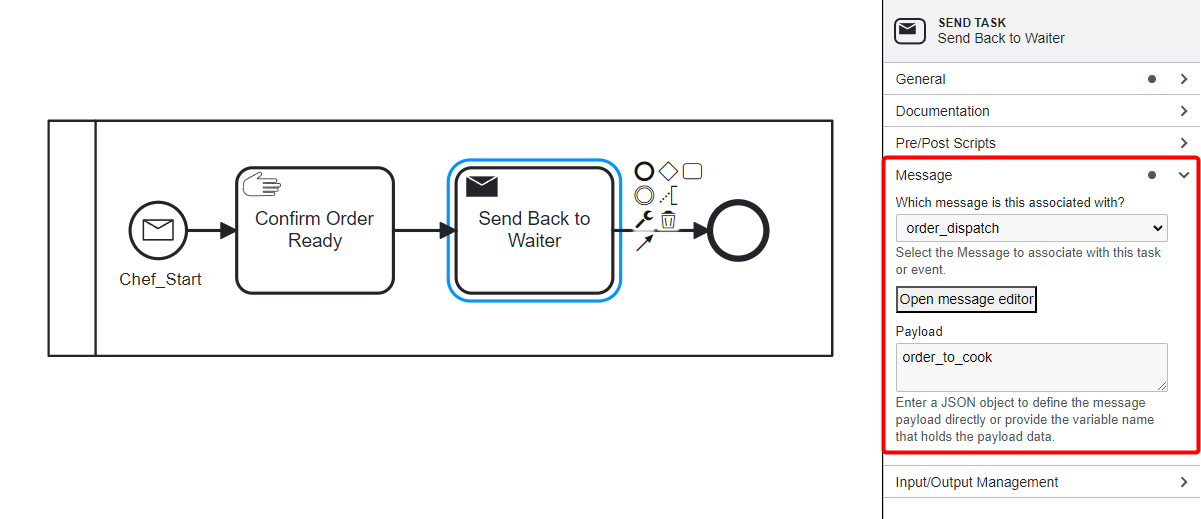
A Send Task sends a message; it does not also wait for a reply. Add a separate Receive Task or Intermediate Message Catch Event in the Waiter after the Send Task.
4. Match the reply to the waiting Waiter
After preparing the meal, have the Chef construct a reply:
reply = {"order_id": order_to_cook["id"], "status": "ready"}
On the Chef’s Send Task or throwing Message Event, select order_dispatch and set Payload
to reply.
On the Waiter’s Receive Task or Intermediate Message Catch Event:
Select
order_dispatch.Set Variable Name to
meal_ready.Enable Enable Condition Matching. Missing expressions are prefilled with their correlation property identifiers (for example,
order_id). This reads a same-named variable from the receiver’s task data, not from the incoming message.In Matching Conditions, change the
order_idfield toorder["id"]for this example.
Check each expression before saving: if the property identifier is not a valid Python variable name, or your data uses a different name or nested structure, replace it with an appropriate Python expression.
These are two different expressions:
Setting |
Evaluated against |
Example |
|---|---|---|
Message property’s Retrieval Expression |
Incoming message body |
|
Receiver’s Matching Conditions → |
Receiver’s task data |
|
The property name identifies a correlation property; it does not automatically select a
same-named task variable. The reply {"order_id": 123, "status": "ready"} matches an expected
integer 123; the string "123" does not.
For nested JSON, use dictionary indexing: a body {"callback": {"orderId": 123}} needs
retrieval expression callback["orderId"]. Use order["customer"]["id"], not
order.customer.id, for ordinary dictionaries in task data.
An earlier sent or received message can also establish correlation values. A correlation property definition alone does not initialize the expected value. With no saved correlation values, a waiting receiver can accept a message by name alone. Configure matching explicitly when routing replies among concurrent instances; do not rely on a property name to do it.
When parallel Call Activities invoke the same receiving process, give each invocation a distinct correlation value and enable condition matching inside the called process. If a receiver loops and replies must target a specific iteration, include an iteration number in both the expected matching value and the reply payload.
5. Save and test delivery
Save both diagrams and run the Waiter. Verify that the Chef starts with the order payload,
then that its reply resumes the correct Waiter and populates meal_ready.
Test with two outstanding orders and distinct IDs. Send a reply for one ID and check that only its intended receiver continues. Also test a nonmatching ID and a string-versus-number mismatch before relying on the process in production.
For external senders, see the Messages API. The payload is the
complete JSON body posted to /v1.0/messages/{modified_message_name}; do not wrap it in the
receiver’s Variable Name.
Troubleshooting
Message absent from the selector: check its Location and whether the model is in that group or a descendant. Check for a nearer definition with the same identifier.
Diagram uses old properties: synchronize with Update diagram and save the BPMN file.
Wrong receiver continues: check that matching is enabled and expected values are established; use an identifier unique to the conversation, not merely a shared table/customer number.
Receiver keeps waiting: check message identity, retrieval expression, task-data expression, and value types. Confirm execution has reached the receiving task/event.
Message appears in Arena but not Ed: Ed reads the selected BPMN file’s embedded definitions and references project JSON files for schemas. It does not import Arena’s
process_group.jsonmessage catalog. Ensure the definition is embedded in the diagram used in Ed.